How to Actually Implement AI in Your Business (A Leadership Guide)
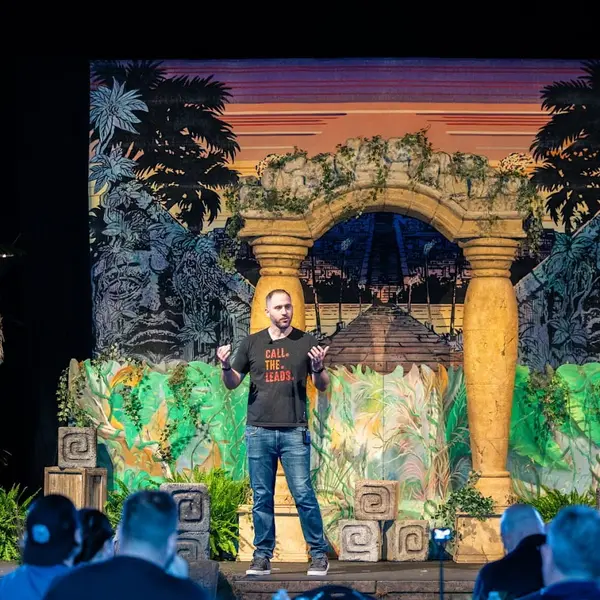 Luke Shankula
I have trained over 200 professionals on AI at this point. Conferences, coaching calls, consulting sessions, workshops. And I can tell you the number one reason AI fails inside a company is not the technology. It is the rollout.
The strategy part is the fun part. You sit in a boardroom or a conference session, you see the potential, you get fired up. You go back to the office on Monday morning and… nothing happens. Nobody knows what tools to use. Nobody knows who owns it. Nobody knows what "good" looks like. Three weeks later, the AI initiative is a Slack channel with four messages in it and a ChatGPT login nobody remembers the password to.
I have seen this pattern dozens of times. And I have also seen the opposite - teams that go from zero AI knowledge to building real systems in weeks, because someone took the time to plan the rollout like an actual project instead of just hoping people would figure it out.
This guide is about that Monday morning. The actual execution. If you are looking for the "why AI matters" conversation, that is a different page. This is the "how do we actually do this" conversation.
Let me break this down.
Step 1: Audit Before You Buy Anything
Most companies start their AI journey by buying tools. That is backwards.
Before you spend a dollar on software, you need to know where your team is actually spending their time. I am talking about a simple audit. Not a six-month consulting project. A two-week exercise where you document the repetitive tasks that eat up hours every week.
Here is what to look for:
- Tasks that follow a template. If someone on your team does the same process the same way every time - writing follow-up emails, formatting reports, summarizing meeting notes - that is a candidate for AI.
- Tasks with a clear input and output. You put data in, you get a deliverable out. AI handles these well.
- Tasks where 80% is repetitive and 20% requires judgment. AI can handle the 80%. Your people focus on the 20% that actually requires their brain.
What you are NOT looking for: the flashy, complex use case that sounds impressive in a pitch deck. Start with the boring stuff. The stuff that makes your team groan when they have to do it on a Friday afternoon. That is where AI creates real time savings.
I tell every consulting client the same thing: your first AI win should be boring. Boring wins build trust. Trust builds adoption. Adoption is the whole game.
Step 2: Pick a Pilot Team (Not the Whole Company)
Rolling AI out to 50 people at once is a recipe for chaos. Pick a small group. Three to five people who are curious, not afraid to break things, and willing to give honest feedback.
Cole Brantley is a good example of what a pilot looks like in practice. Cole started teaching weekly AI classes to real estate agents. He saw a 500%+ increase in engagement. But he did not start by rolling AI out across his entire operation. He started with himself. He learned the tools, built workflows that actually worked, and then expanded from there. Now he teaches AI to his partners as a business development strategy.
That is the pilot mindset. One person or one small team learns, builds, proves the value, and then becomes the internal champion who trains everyone else.
Your pilot team should have three things:
- A specific problem to solve. Not "use AI more." Something like "reduce the time it takes to write client follow-up emails from 20 minutes to 5 minutes."
- A timeline. Two to four weeks to test, learn, and report back.
- Permission to fail. The pilot is an experiment. Some things will not work. That is the point - you figure out what works before you roll it out to everyone.
Step 3: Choose Tools That Match the Problem
I see leaders get this backwards constantly. They pick a tool because it is popular, and then try to find problems for it to solve. That never works.
Start with the problems your audit identified. Then match tools to those problems.
For most teams I work with, the tool stack is simpler than they expect:
- A conversational AI tool (Claude, ChatGPT, or similar) for writing, brainstorming, analysis, and summarization
- An AI-assisted workflow tool that connects to their existing software
- A content or communication tool that helps with consistent output
That is usually it to start. Three categories. Not fifteen subscriptions.
The tool comparison matters. If you are building custom workflows, you should understand the difference between platforms like Claude Skills and custom GPTs - they solve different problems in different ways, and picking the wrong one wastes time and money. I broke that comparison down in detail here.
The key principle: the best AI tool is the one your team will actually use. A complicated tool with amazing features that nobody touches is worth less than a simple tool that gets used every day.
Step 4: Build the Training Plan (This Is Where Most Companies Fail)
I cannot stress this enough: the training is the implementation. You can buy the best tools in the world, and if your people do not know how to use them, you just bought expensive shelf decorations.
Here is what an actual AI training plan looks like, broken into three phases.
Phase 1: Foundation (Week 1-2)
Teach your team the basics. Not the history of artificial intelligence. Not how large language models work. The basics of actually using the tools you selected.
This means:
- How to write a clear prompt that gets a useful output
- How to review and edit AI-generated work (because you should always review it)
- How to recognize when AI gives you something wrong or incomplete
- Where AI fits in their daily workflow and where it does not
Tammy Fisher is a great example. She started learning AI tools and within a short time was teaching AI classes herself. She became the go-to resource for her agent partners. That did not happen because someone handed her a login and said good luck. She learned the foundation, practiced it, and built confidence before she started teaching others.
Phase 2: Integration (Week 3-4)
Now your team starts using the tools on real work. Not practice exercises. Real tasks from their actual job.
This is where you need a buddy system. Pair someone who is getting comfortable with someone who is still figuring it out. Let them work through problems together. Most AI learning happens in the moment when someone is trying to do their actual job, not in a scheduled training session.
Set a daily or weekly check-in during this phase. Five minutes. What worked? What did not? What did you try to do that you could not figure out? Those questions surface the real training gaps.
Phase 3: Ownership (Week 5-8)
This is where individuals start building their own workflows. They are not just following the playbook you gave them - they are finding new use cases on their own.
When someone on your team comes to you and says "I figured out how to use AI to do [thing you never thought of]," you have reached Phase 3. That is when adoption becomes self-sustaining.
Jason Kindler took this to another level. He built an AI tool portal with a headshot creator, thumbnail generator, and marketing resources. Over 200 agents signed up to use it. He did not just adopt AI for himself - he built tools that his partners wanted to use. That is Phase 3 thinking applied to business development.
Step 5: Set Up the Feedback Loop
AI implementation without a feedback loop is just guessing. You need to know what is working, what is not, and where people are stuck.
Build this into your process from day one:
Weekly pulse check. A five-minute survey or standup where each team member shares:
- One task AI made easier this week
- One thing they tried that did not work
- One thing they want to try next week
Monthly review. A 30-minute meeting where you look at actual metrics and decide what to adjust.
Quarterly strategy reset. Step back and look at the big picture. Are we solving the right problems? Are there new tools we should evaluate? Has our team's skill level changed enough to take on more complex use cases?
The companies that get the most out of AI are the ones that treat it like a muscle they are building, not a switch they flipped.
Step 6: Measure What Matters (and Ignore What Does Not)
This is where leaders often overthink it. You do not need a 40-metric dashboard. You need three to five numbers that tell you whether AI is actually helping.
Frequently Asked Questions
How long does it take to implement AI across a team?
Most teams can see real results from a pilot within 30 days. A full team rollout typically takes 60-90 days to reach consistent adoption.
What is the biggest barrier to AI adoption in companies?
Fear. People are afraid AI will replace them, and that fear makes them resistant to learning new tools. Clear leadership communication that AI is here to support, not replace, their work is essential.
How much should we budget for AI implementation?
Most AI tools cost $20-100 per user per month. The main investment is time: plan for 2-4 hours per week per team member during the first 60 days for training, piloting, and feedback.
Do we need to hire an AI specialist?
Most small and mid-size teams do not need a dedicated AI specialist. You need an internal champion who is curious, willing to learn, and able to teach others how to use the tools.
What if our AI implementation is not showing results after 60 days?
Revisit your initial audit, training, and metrics. Most issues come from solving the wrong problems, weak training, or poor measurement—not from the AI tools themselves.
Want more insights like this?
I share AI strategies, mortgage marketing tips, and business lessons regularly.